Hello everyone, happy holidays
Welcome to the first “Databruce Update Log” (name TBD). I intend to make this a regular thing, perhaps once a month but that is TBD. I’ll cover any updates/changes that have been made to the site, as well as any fixes/news about the site. Everything is subject to change, as this is all new.
I’m considering this version “1.1” of Databruce. As I think enough has changed to warrant it. It ultimately doesn’t mean much, but it’s a milestone of progress.
This update is fairly extensive, making a number of changes to the site. Both in terms of design/layout, as well as to the functionality of the site as well. This update was planned to release in November, but it kept getting pushed for various reasons. Usually related to fixing unintended bugs and things that I broke, as well as further fixes/additions, including a particularly exciting last minute addition, which pushed this right into December.
I’ll cover everything below, so let’s get into it.
What’s New
Event Calendar

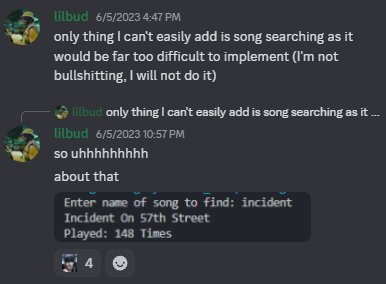
One thing on my to-do list has been a calendar to show events by month/year. It was a feature I liked from Jerrybase, and like most of the site, I wanted to do my own. Originally I wasn’t sure how to go about it, but eventually found a plugin that could do it. It was much simpler than I had anticipated, which is a trend for me going all the way back to the development of Brucebot. Where I won’t add or will put off adding something due to thinking it will be very difficult, only to bang it out in no time flat. Time is a flat circle I suppose.
The calendar displays both events, as well as event runs (consecutive events by same band at same venue).
Changes
Design
First and foremost, you’ll notice a pretty big change when visiting the site. The font has been changed to Google Sans Flex, which I’ve found looks better at small scales than the previous one.
Also, I’ve removed the “Synthwave” theme as I didn’t really like it and thought the colors were a bit too garish, though I suppose that was the point. It was primarily just a test, and I might look into adding themes again at some point. As of now, only “Light” and “Dark” are available, with both having also received some slight tweaks to the colors.
Tables
Changed how tables are rendered, utilizing server side rendering instead of the default. Meaning sorting/searching/filtering is handled differently. Which means that tables load faster.
Searching
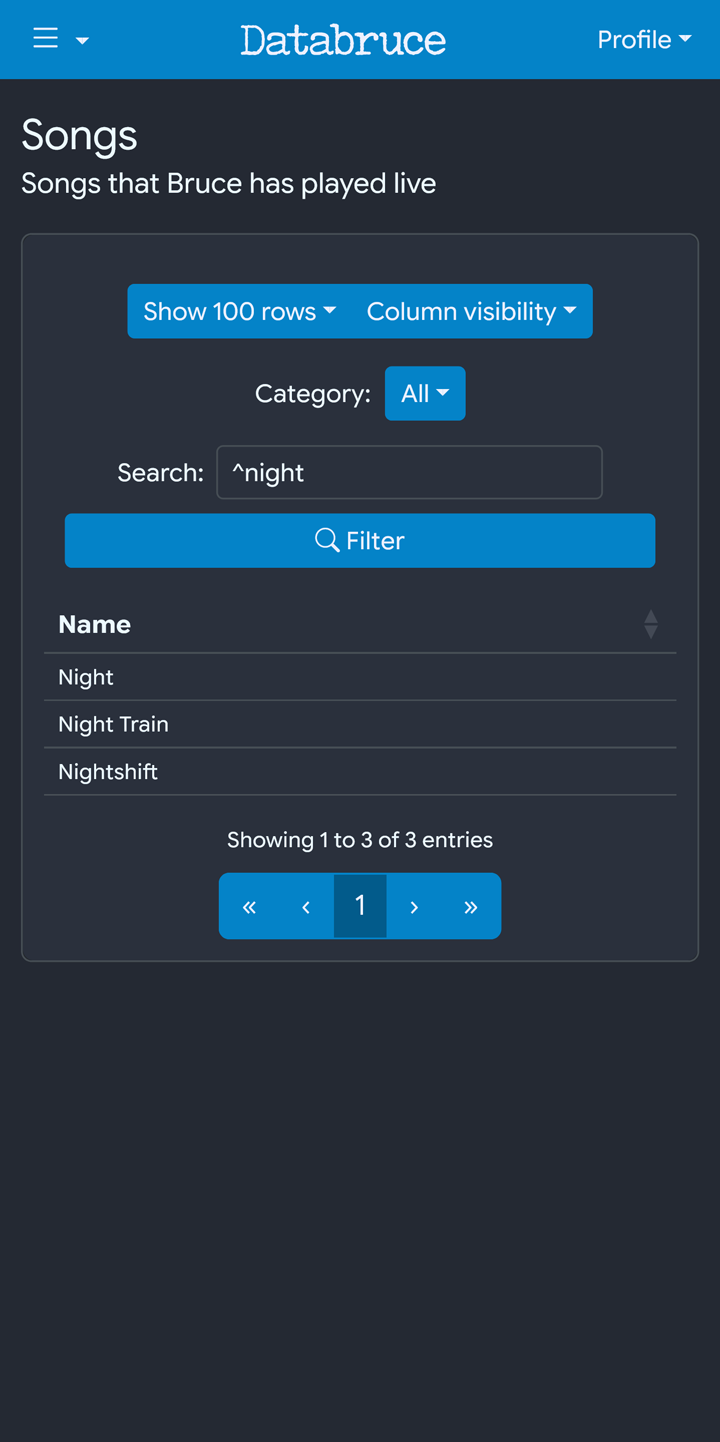
The search bar also now accepts regular expressions (or regex). Regex is a way of searching text by matching patterns, as compared to “standard” searching, which is more limited. As a note, the regex search is case insensitive. So capitalization doesn’t matter.
An example can be seen below, and more on regex can be found here.
night: matches the word "night" anywhere in text.
^night: matches text that begins with "night".
Additionally, all event tables have been updated to be consistent and show the same info regardless of page.
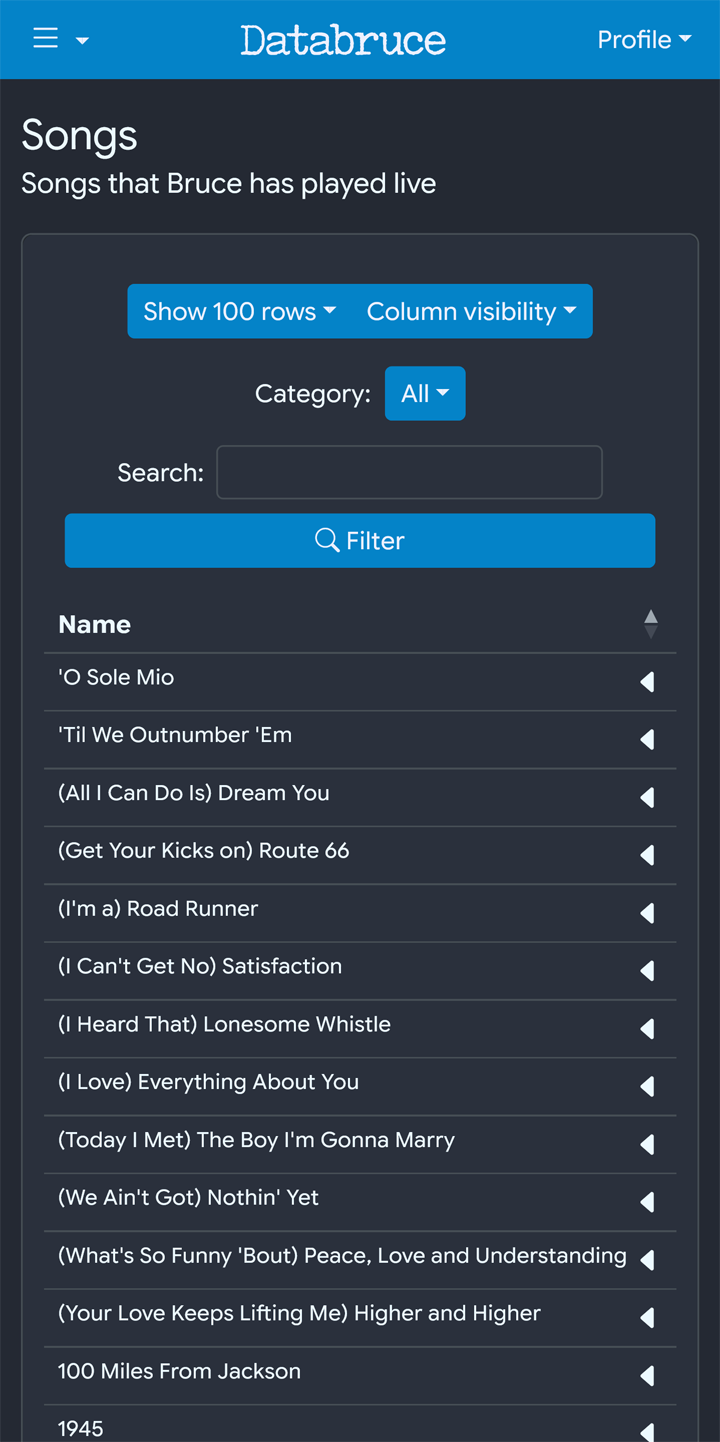
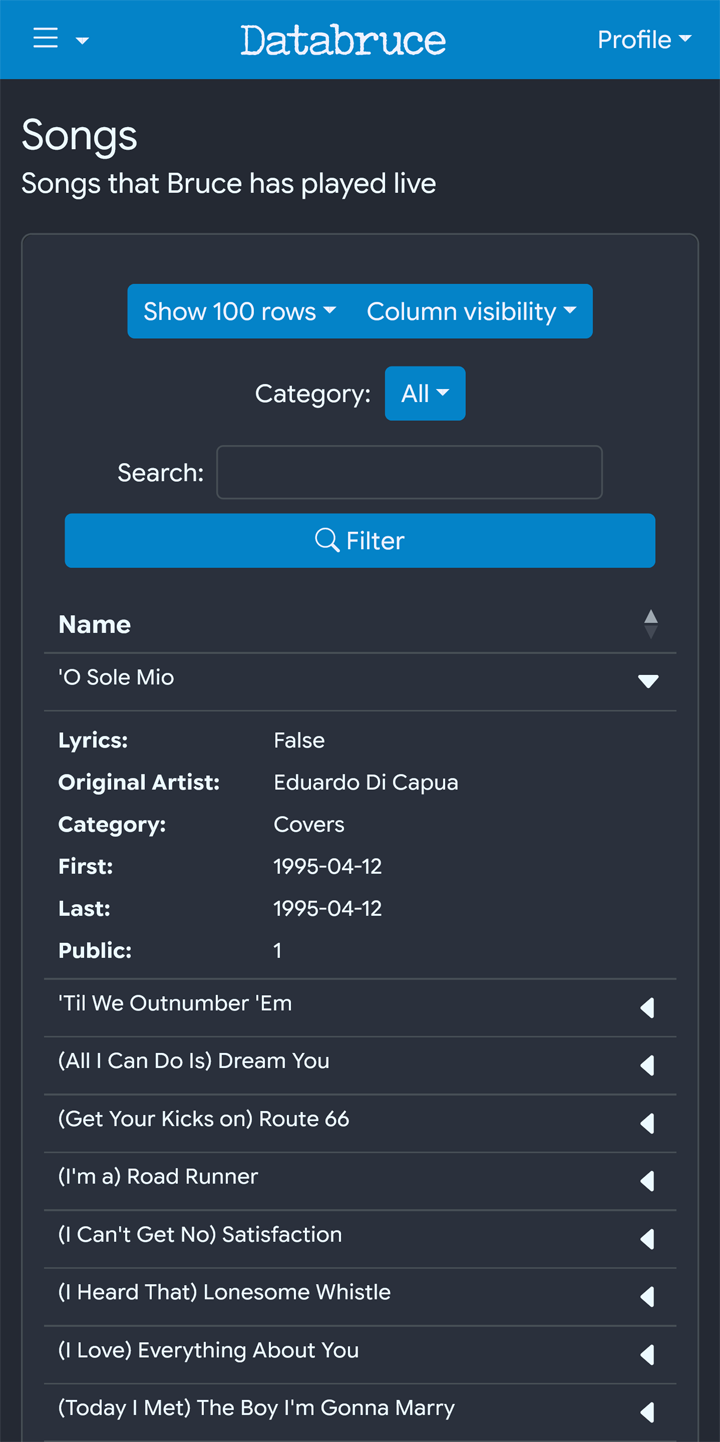
Tables are also now mobile friendly, collapsing the rows on small screens by default. The hidden rows can be viewed by tapping the row. An arrow will also indicate the rows that can be opened, as well as if its open or not.
Page Specific Changes
Below are some changes that affect certain pages, some more extensive than others
Advanced Search
The form has been updated, and now loads a bit faster. The searching itself is also a tad faster, but that difference is less noticeable.
Setlist Note Search
This search has been expanded and now searches all notes. You’d think this was the case before, but you’d be wrong.
Event Detail
The page in general has seen a number of changes in both layout and design.
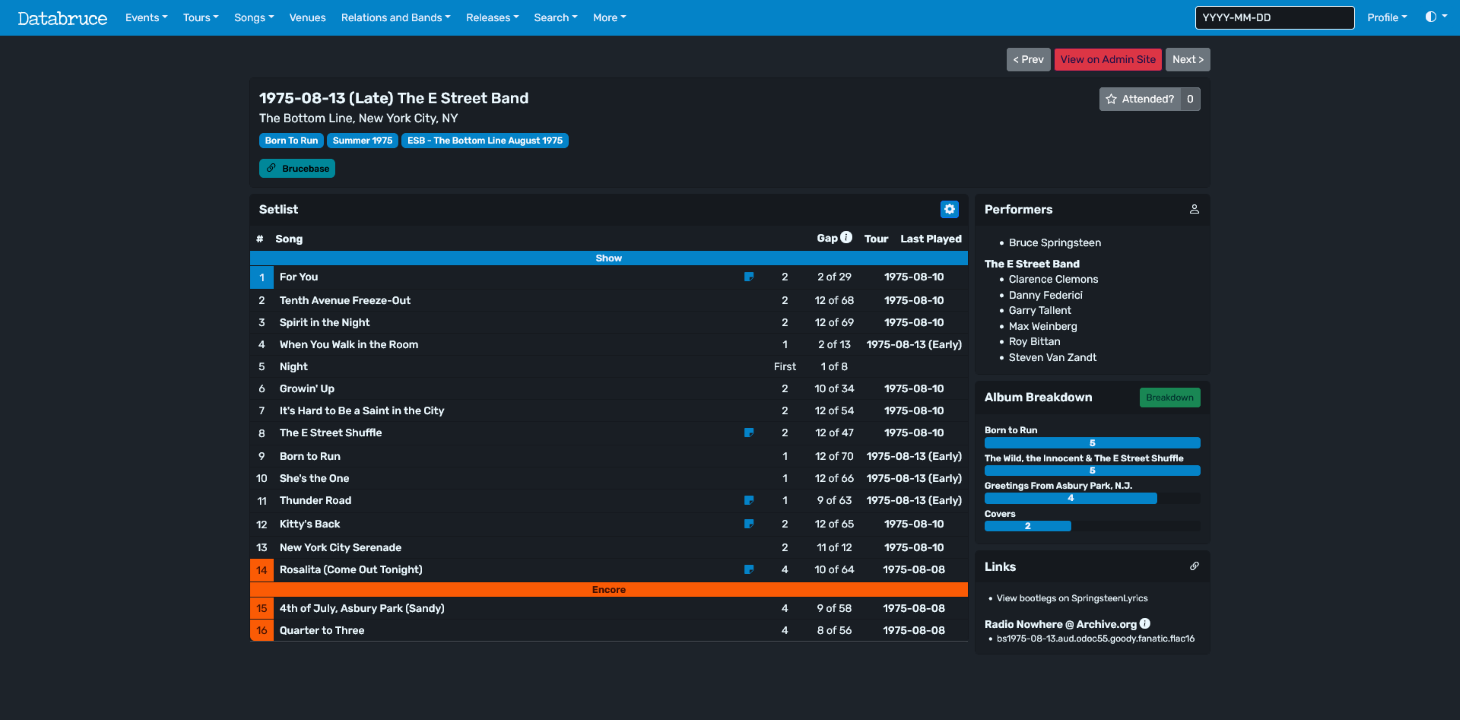
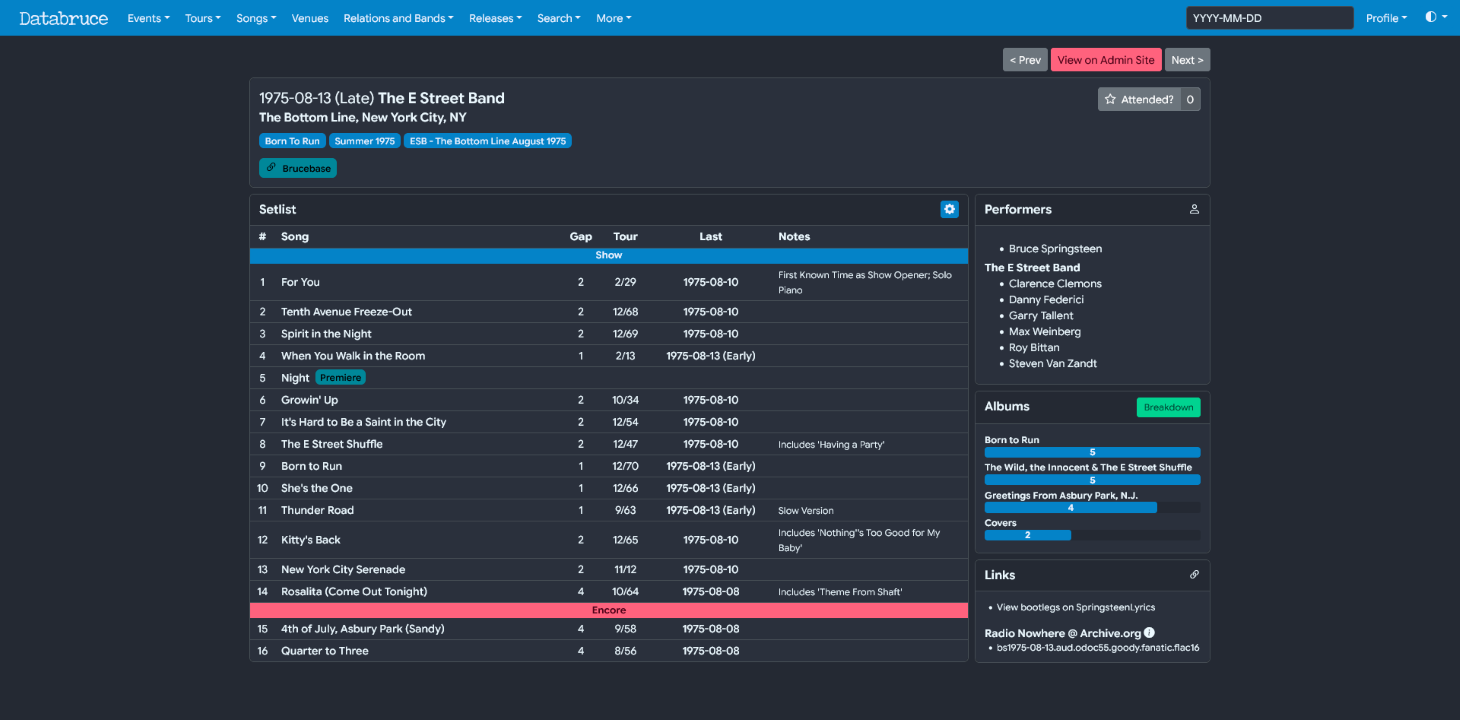
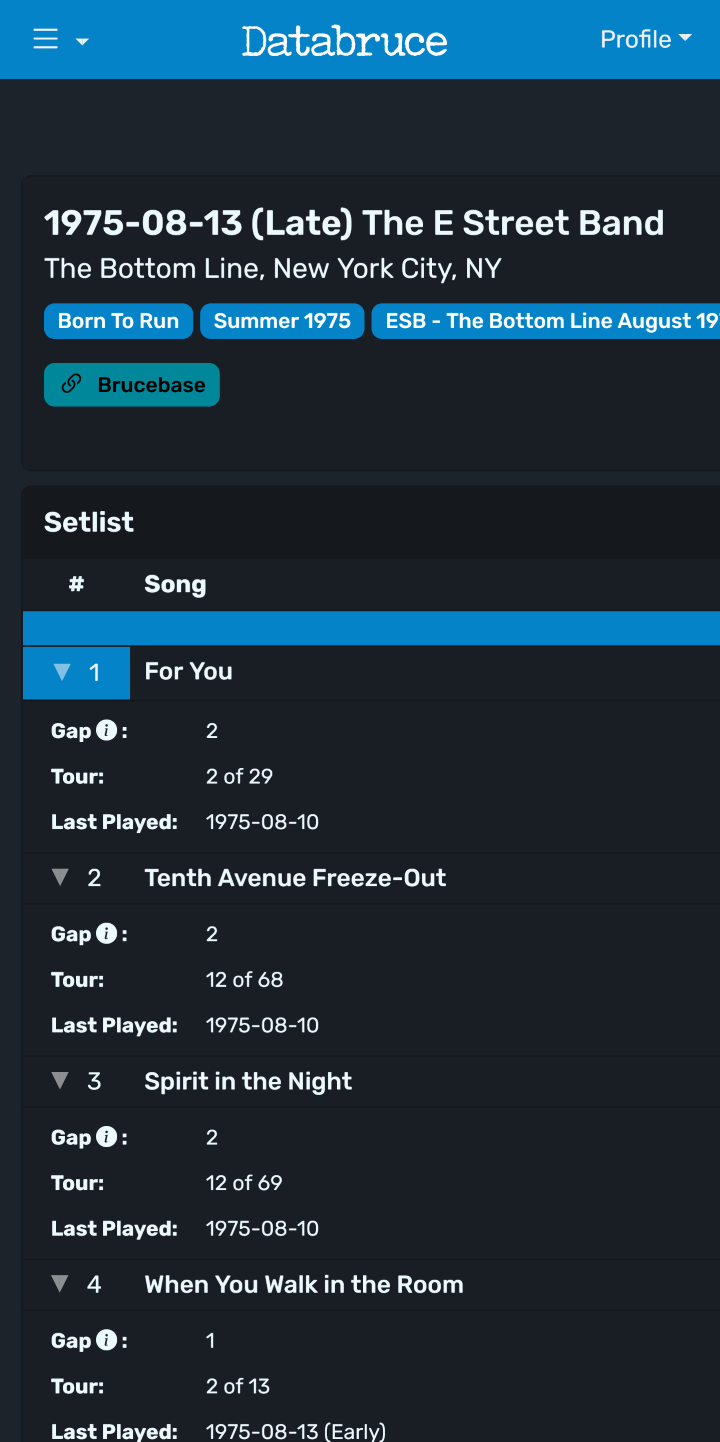
Firstly, I fixed an issue which caused the table to push everything off screen on mobile. I don’t know why this was, as all pages should (and many did) condense to the smaller width, except for this one apparently. I think it had something to do with the setlist table and wrapping.
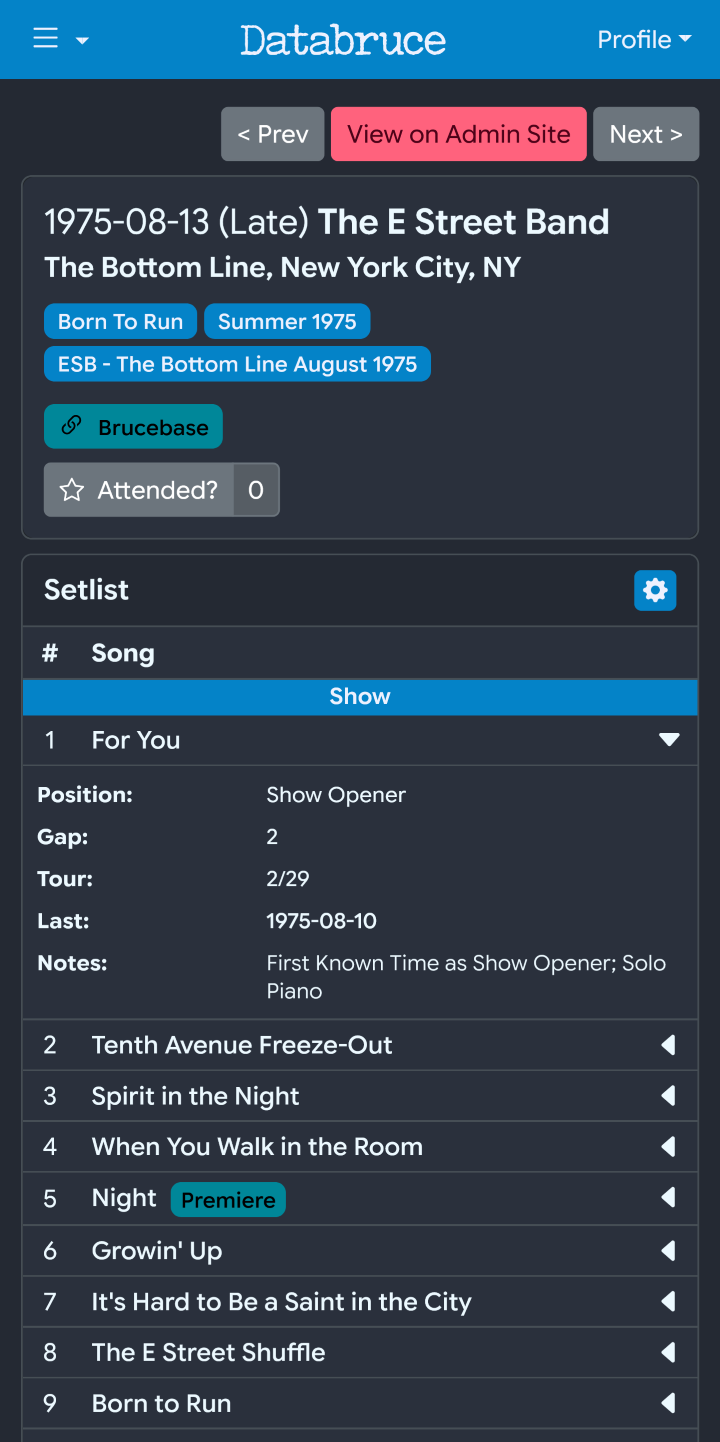
Badges are now used to highlight songs with certain attributes. So far these include: Instrumental, No Bruce, Premieres, and Sign Requests. This can be seen in the preview images above.
The setlist tables also now show the notes as part of the actual table rows. I originally had these hidden by a button, but those didn’t adapt well to small screens. Likely due to the issue above with the table going off screen, but it’s anyone’s guess.
Release Detail
Tracks are now grouped by disc if present. Currently this is just Tracks 2 and the recent Nebraska Expanded release, though more will get this treatment soon.
Database Changes
These have less to do with the site itself and more with the database.
Bruce is now listed as part of his many early “pre-E Street” bands. Including: Castiles, Earth, Child, Dr Zoom, BSB, Friendly Enemies, and Sundance Blues Band. Originally he wasn’t listed as part of them but rather on his own, which is incorrect. It is correct however for bands which are credited as “Bruce AND band”.
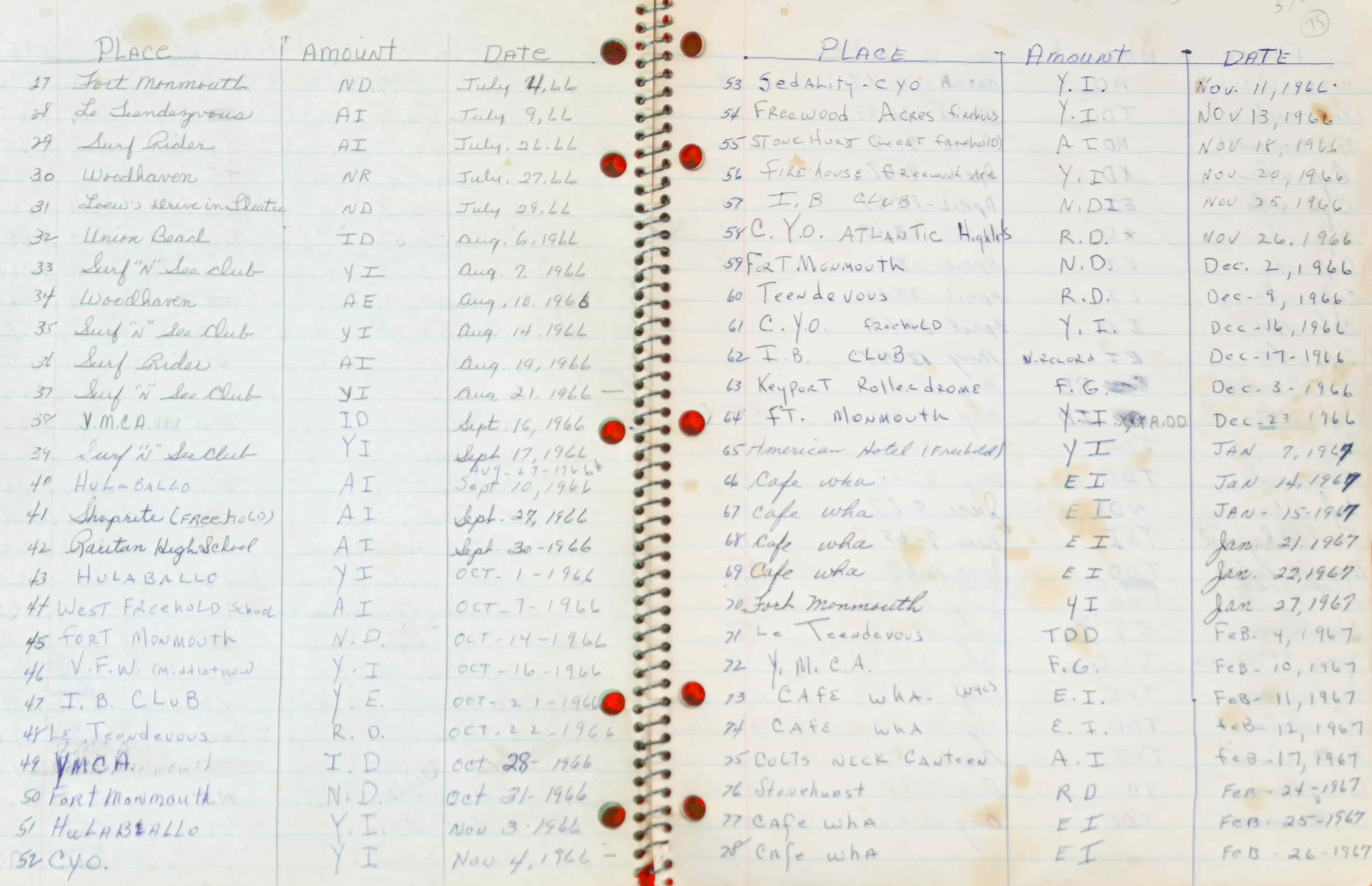
Some new previously unknown events have been added for 1966 and 1967. Recently, the Springsteen Archives at Monmouth posted a pic of a notebook spread containing a list of Castiles shows, many of which were unknown. Some were known, but the exact date was unknown. This adds 12 shows to 1966 and 8 shows to 1967. The notebook definitely covers more as visible by pages bleeding through, however only a single spread was posted.
Conclusion
That should just about wrap it up for this post. I aim to do one of these a month, unless there really aren’t many changes to cover. If anyone has any questions/comments/suggestions/etc., feel free to reach out. Either by the contact form, or DM, either works.
Databruce can be found by going to the link shown in the header of this post, or here if you don’t feel like scrolling.