4 months in a row with update posts, I know I’m just as surprised as you.
Welcome back to those of you who actually regularly visit this site. Github Pages doesn’t have any kind of analytics, so hopefully the number is more than 1.
There have been quite a few updates in January 2026, about half of them just today (1/27). So as per usual, change list, and then ones worth covering in detail will have exactly that.
Changelog
- (1/6) Fix songs page search not finding originals not marked as such. It would initially match against the “category” being originals/covers, but if category was a studio album then it wouldn’t find it.
- (1/6) Update footer year to 2026
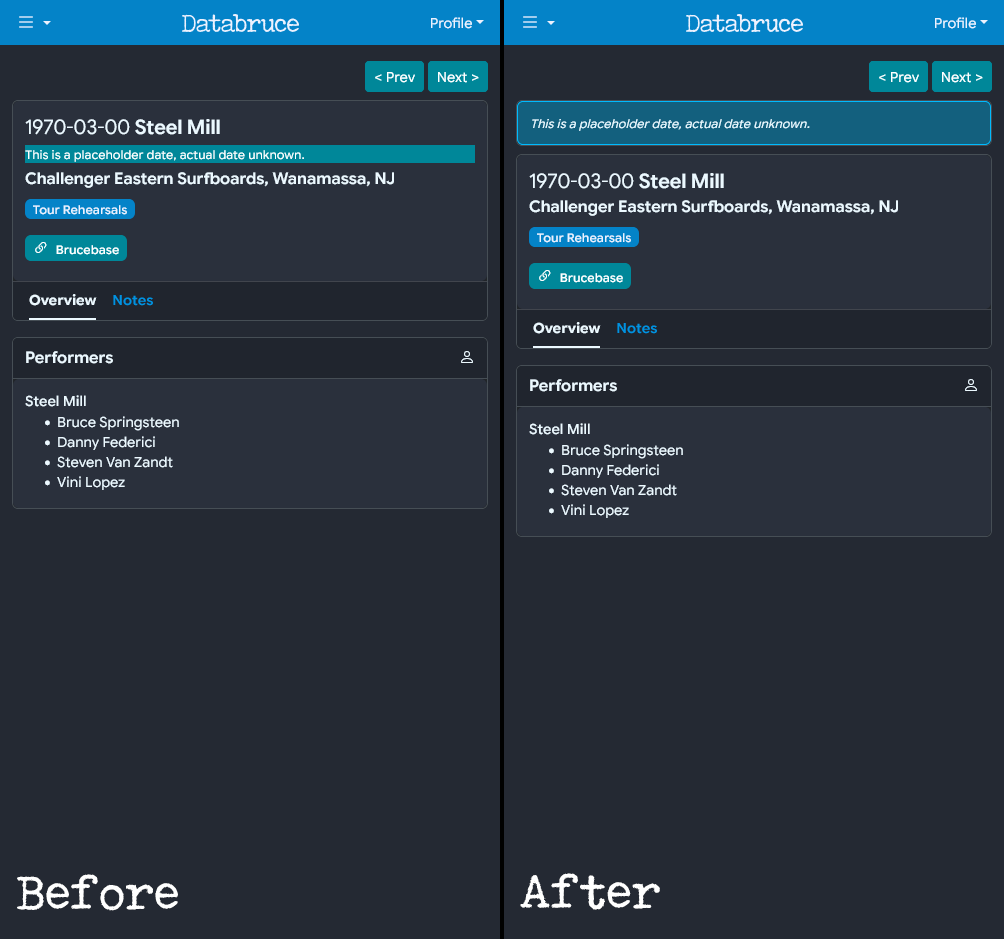
- (1/6) Update Event Detail, move “placeholder date” text to card at page top.
- (1/17) Fix “last” in setlist showing null for tour debuts
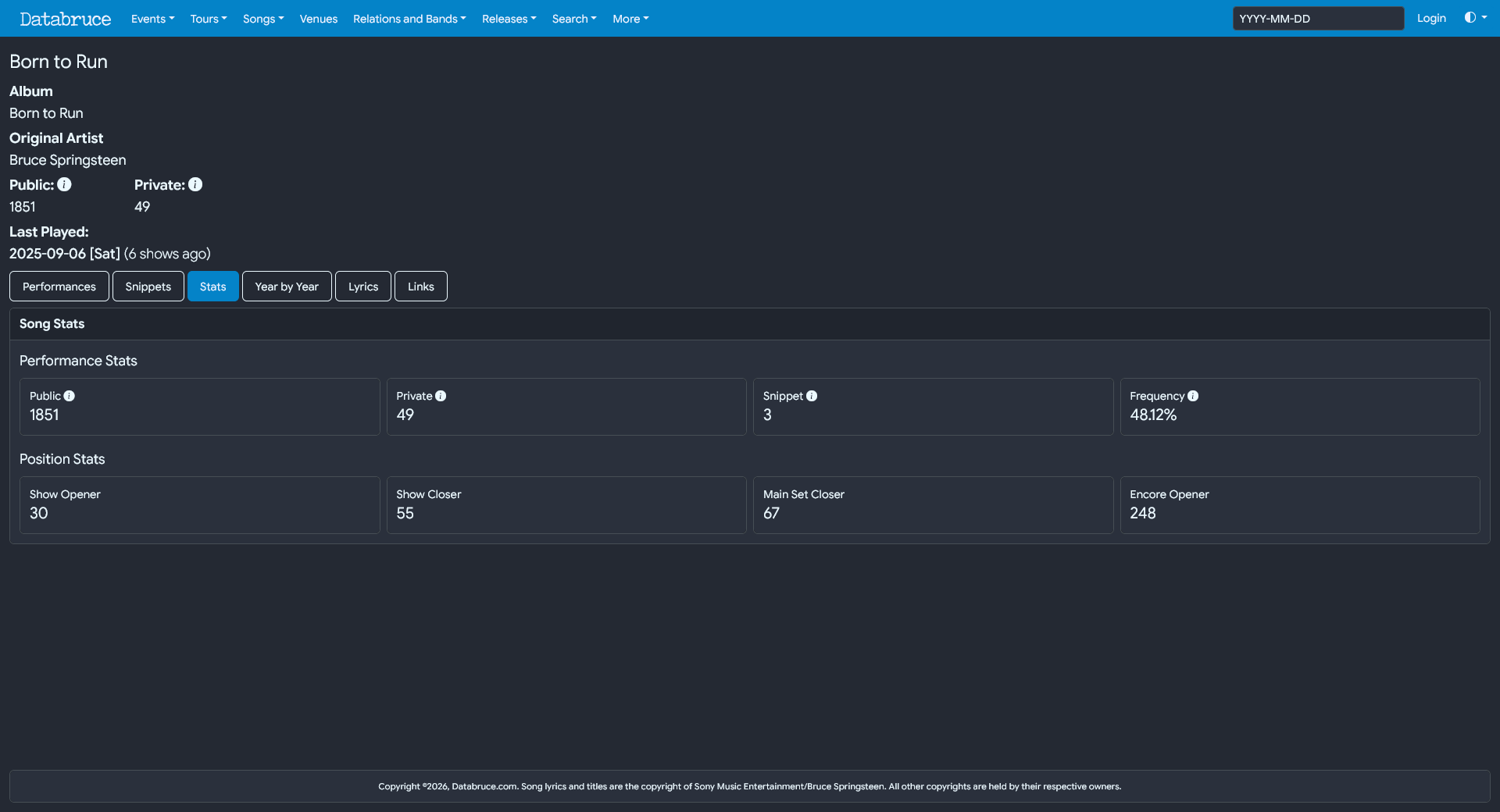
- (1/18) Added “show gap” to song detail page. Listing how many shows since it’s last performance.
- (1/23) Fix song detail page snippet table not loading properly
- (1/27) Event Setlist now tallies tour count/total live, instead of having to pull values from a view.
- (1/27) Combined “Year by Year” and “Stats” into single tab on SongDetail page
- (1/27) SongDetail snippet table now has band, venue, and location
- (1/27) Songs Page fixed columns being too wide on mobile
- (1/27) Songs Page searchbuilder on Lyrics now works properly
- (1/27) Song Detail page year-by-year chart now resizes correctly
- (1/27) Reenable autocomplete on navbar event search
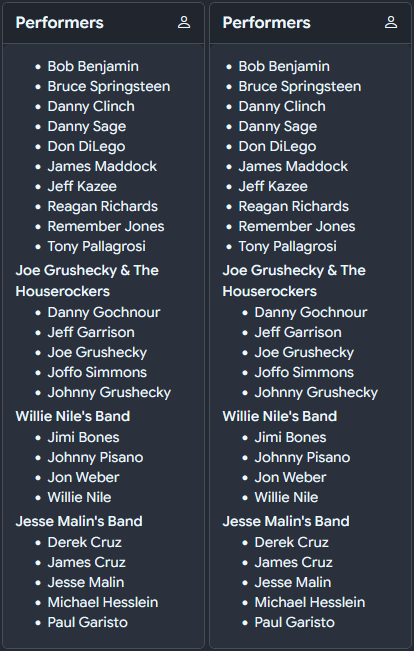
- (1/27) Padding reduced for onstage members not associated with a band
Songs Page Search Fix
Many of these fixes stem from things I find while using the site myself, which is about to actual testing as I’m ever going to get.
This one involves the Songs page. If you were to filter the table for original songs, then attempt to search, sometimes there would be no results when there are supposed to be.
For example, filtering “Originals” then searching for “Racing in the Street”, no results would appear.
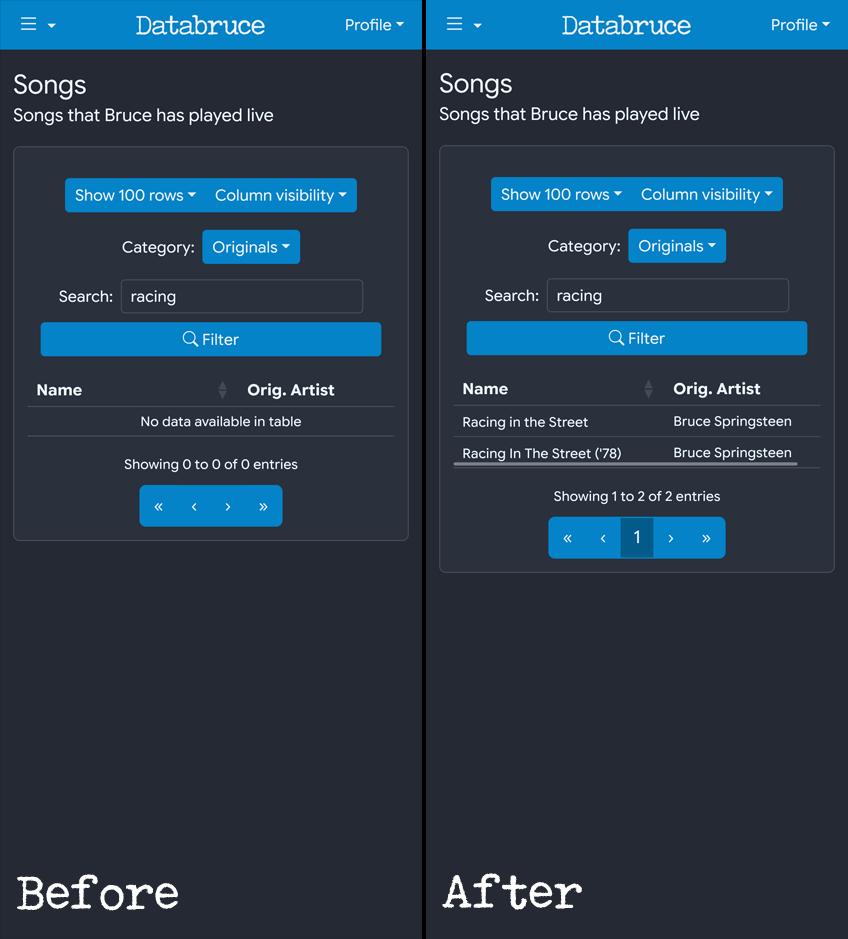
This is because while many originals are marked as such under “category”, many others are marked with their studio album. This has been fixed by instead filtering using the “Original Artist” column instead of category/album.
Event Detail Updates
Placeholder Date Note
The note about “Placeholder Date” has been updated to fix its position. Originally it was filled green and spanned the whole page width, which didn’t look great. It has been moved to a card at the top of the page, and given a light blue background.
[placeholder.png]
Setlist Table
The setlist table now features “live” counts for total performances on tour, as well as current number performance on tour. I typically would update these manually, but they’ve been out of date for a bit. A live count avoids this issue, plus it’s more accurate.
The “last” column (# shows since last played) would occasionally show “null” for debuts, this has been fixed. Additionally, it will also now show “first” if it is an FTP (first time played).
Onstage
Padding has been reduced for items in the “performer/onstage” card that weren’t under a band header.
[onstage.png]
Song Detail Page
This page got the most fixes/updates
Snippets
First, the “snippets” table had an issue where it wouldn’t fully load, and would show the 3 loading dots endlessly. This has been fixed.
The snippets table now also shows the band/venue/location. Originally it just showed the date, which doesn’t do much good without indicating the location of the show as well.
Stats/Year by Year
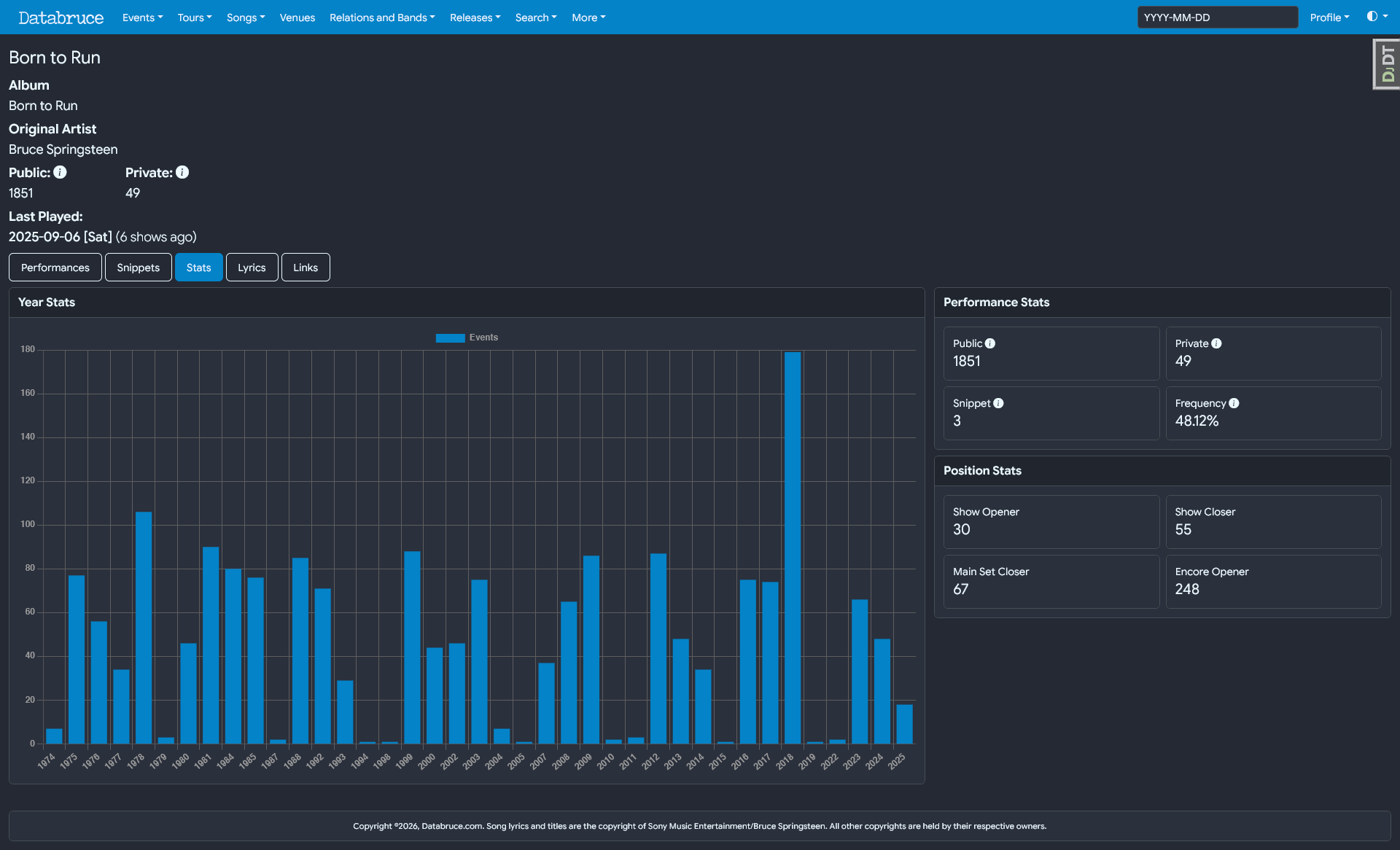
These were originally two separate “pages” hidden behind tabs. Combining them into a single “stats” tab is a bit more concise, and looks better on both Desktop and Mobile.
The “year-by-year” bar chart also had an issue where it wouldn’t update on screen size changes. Keeping to just widescreen or mobile screen would be no issue, but when changing between them (primarily on desktop), the chart wouldn’t resize until the page was refreshed. Now it should adjust automatically. Unfortunately these bar charts really aren’t that useful on mobile since the “years” get squished together.
“X Shows Ago”
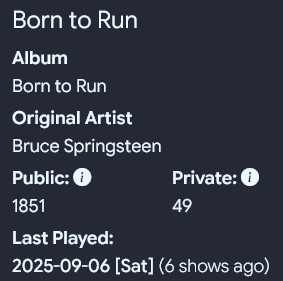
Song detail pages now show how many shows it has been since a song was last played next to the date it was last played.
Songs Page
Lyrics can now be searched in SearchBuilder
This was more of a quirk than anything, but until now, songs couldn’t be filtered based on if they had lyrics or not (indicated with a little document symbol). This had to do with the underlying search function not liking T/F values. Now fixed, so songs can be filtered based on “has lyrics” or “no lyrics”.
To be clear, this is referring to if I have lyrics on the site for said song, not if the song has lyrics at all or is instrumental. Might add that later on, but Bruce doesn’t have many actual instrumentals aside from jams.
As a note, when searching “Lyrics”, either the “equals/contains” or “empty/not empty” filters have been tested. The former would require searching for “equals true” to find songs with lyrics, and “equals false” for none. For the latter, “empty” means “no lyrics” and “not empty” means “yes lyrics”. This is slightly confusing, but Datatables doesn’t allow customizing the available options, so I’m stuck with the above non-elegant solution.
Event Search Autocomplete
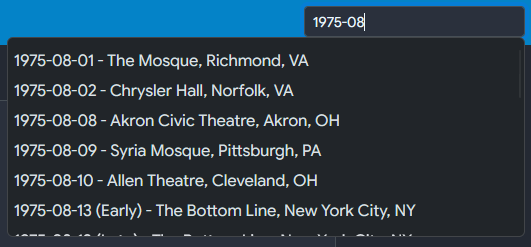
Up in the navbar, there is a search bar to quickly search for events by date. Additionally, an “autocomplete” would pop-up matching the partial date you entered. The autocomplete was added in July 2025, and some point after I removed. Most likely because the pop-up wasn’t working right on mobile (going off screen, was too big, etc.)
I decided to look into it again, and reimplemented it mostly from scratch. It still works the same, but the pop-up now scrolls instead of filling the screen. Also, the input works as a plain search bar as well.
Typing a partial date will lead to the event search result page. Typing a full date with only one event will redirect to that event. Otherwise, the pop-up will show matching results, and clicking/tapping an option will lead to that event.
Conclusion
Another month, another hastily assembled update post done.
I want to thank Ken Rosen for the bump provided by including my write-up in his final E Street Shuffle blog post. Added 12 users, which is the largest single day bump since the site opened.
And thanks to everyone who has used the site thus far, and for taking a chance on it. I hope people are finding it useful, and taking advantage of it’s unique feature set and capabilities compared to other sites.
If anyone has any comments/questions, feel free to use the contact form, post in the Greasy Lake thread, or message me on either Discord or GL. I hope to set up a bit more elegant of a feedback/comment/contact system in the near future, and I will post if/when that happens.
Thanks, Lilbud (January 27, 2026)